
Making Your Own Video
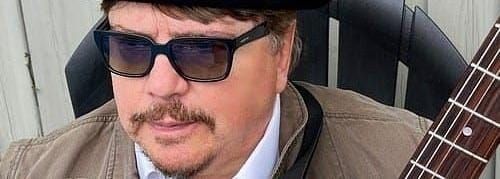
Since I’ve started promoting my videos on social-media (just under 10,000 views to date) I’ve noticed the wide variety of artist-produced videos available.
These range from a simple still-shot of the artist’s Bio pic set to music, to a full production video.
When I first got the urge to add visualization to my songs I chose the easiest of methods – pics and panning.
Pics and Panning
This can be highly effective and is a good place to start while learning how to operate your editing software.
To do this you will need at least 30 still pics of High Definition quality.
These can easily be shot on your phone.
Most people carry all the tools they will need with them on a daily basis.
One young fellow I know even edits his videos right on his phone and they are quite entertaining to watch.
You simply string these pics together to match the lyrics of the song and to tell it’s story.
Even the most basic editing programs are likely to have an automatic setting which pans-in on a still pic to create movement.
You simply drag the pic into the timeline of the song and Bob’s your uncle.
The toughest trick here is to have the pictures change in time with the music. I I generally choose the downbeat; as the song enters a new part (intro to verse or verse to chorus etc.).
For interest sake it is wise to learn how to use the different transitions available (dissolve, crossfade, or simply ‘abrupt’ depending on the song).
Try to use more than one of them in a song for variety.
Now is also the time to get comfortable with using graphics such as opening titles, end credits, or lyrics.
Once you feel you’ve mastered this process it’s time to upgrade to actual video.
Motion Pictures
The principals are the same regarding content construction, but you’ll now have new techniques to learn.
Like in the previous method a decent quality phone will be enough to get you started. Take a video of yourself singing along, or dancing (yikes).
You can also search for stock-footage on-line and let the pros worry about the lighting.
The downside to this choice is that you may have to sift through countless hours of footage to find images that work for your song.
Using videos instead of stills allows you to expand your editing vocabulary into split screens, and insets.
Don’t be daunted.
There are tons of tutorials for all these functions found in the usual locations.
Once you’ve mastered them you’ll wonder why you waited so long to get started.
What I Use
If you go to my YouTube channel https://www.youtube.com/@KCArmstrong444 and watch my videos from oldest to newest, it’s pretty easy to spot the technical progression.
I’ve often toyed with the notion of upgrading, but currently use the ‘I Movies’, which came installed on my wife’s Mac.
If it’s not broke don’t fix it?
Singer/Songwriter/Producer from Brantford, Ontario, Canada